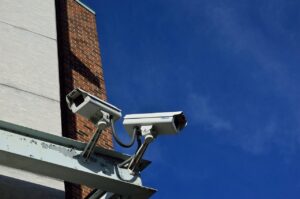

What happens when your alarm goes off and you are asleep, offline, or 30,000 feet in the air?
That question captures the central difference between self-monitored and professionally monitored security. A self-monitored system sends alerts to you or other authorized users, leaving you responsible for checking the event and contacting emergency services. Professional monitoring routes qualifying alarm signals to a monitoring station that can follow its verification process and, when appropriate, request emergency response.
Professional monitoring provides an additional response path when you cannot act, but it does not guarantee dispatch or faster police, fire, or medical arrival. Local emergency communications centers and responding agencies determine prioritization and response, while provider procedures may depend on the alarm type, verification results, account configuration, permit status, and local rules.
The right choice therefore depends on more than the monthly fee. Consider whether someone can consistently receive alerts, how the system communicates during outages, which sensors the monitoring plan supports, your privacy requirements, and the contract and permit conditions at the service address.
What Separates Self-Monitored and Professional Smart Home Security Plans?
The main difference is who is expected to respond after an alarm. With self-monitoring, notifications normally go to authorized users through the provider’s app—for example, the Ring app or Arlo Secure app. The user reviews the available information and calls the appropriate emergency service if help is needed. The alarm may still sound a local siren when the internet is unavailable, but that behavior depends on the system’s hardware and configuration.
Professional monitoring adds a monitoring center. As Ring’s explanation of self-monitoring and professional monitoring illustrates, the center can receive eligible alarm signals, attempt to contact designated users, and request emergency response according to the provider’s procedures. Dispatch is not automatic for every notification: burglary, panic, smoke, carbon-monoxide, and other signals may follow different workflows.
| Comparison point | Self-monitoring | Professional monitoring |
|---|---|---|
| Who receives the alarm? | You and other authorized app users. | A monitoring station receives eligible signals; users may also receive alerts. |
| Who verifies the event? | You review sensor information, live video, or other available evidence. | The provider follows its verification process, which may involve calls, texts, app prompts, sensor data, or eligible camera feeds. |
| Who requests emergency response? | You or another authorized user. | The monitoring station may request dispatch when its procedures and local rules allow. |
| Availability burden | Someone must be reachable and prepared to act. | The station supplies a 24/7 response layer, although communication and service failures remain possible. |
| Typical ongoing costs | Basic alerts may have a lower cost, but recording, storage, or advanced features can require a subscription. | Usually includes a recurring monitoring fee and may also involve equipment, installation, storage, add-ons, or a contract. |
| Outage protection | Depends on the base station, battery, internet connection, cellular hardware, and plan. | Also depends on compatible hardware and the plan; professional monitoring does not automatically mean cellular or power backup. |
| Privacy considerations | Fewer third parties may be involved, but account and camera security still matter. | Video verification or live-agent features may permit limited third-party access to selected cameras during an event. |
Some providers offer hybrid arrangements in which customers can change between self-monitoring and professional monitoring, but switching rules, minimum terms, and retained features vary. A paid self-monitoring plan may also offer cloud recordings or enhanced notifications without including emergency dispatch.
Consider a glass-break sensor that triggers while you are on a flight. A self-monitored system might sound its siren and create an alarm notification or event log. It records video only if a compatible camera is linked, recording is enabled, and any required storage feature or subscription is active. With professional monitoring, the station may attempt verification, contact emergency users, and request dispatch. The result still depends on the signal type, monitoring plan, account setup, permit status, and local policy.
How to Compare Costs, Response Procedures, Features, and App Controls
1. Calculate the total cost rather than the headline fee
Self-monitoring is not always free, and professional monitoring is not represented fully by one monthly number. Compare:
- equipment purchases or financing;
- professional installation charges;
- monthly monitoring or app subscriptions;
- cloud recording and storage;
- cellular or network-backup requirements;
- video verification or live-agent add-ons;
- minimum contract terms, promotional periods, and early-cancellation charges; and
- replacement costs for batteries, sensors, hubs, or backup accessories.
Providers divide features differently. For example, SimpliSafe’s monitoring tiers differ in features such as recordings, video verification, network backup, and live-agent intervention. Arlo states that its professional monitoring requires the Arlo Home Security System, while cellular backup requires compatible additional hardware. Check current plan documents rather than assuming that a familiar brand name includes every function.
2. Examine what happens after each type of alarm
Ask the provider to explain the complete workflow for intrusion, panic, fire, carbon-monoxide, and other supported alarms. Useful questions include:
- Which signals reach the monitoring station?
- Does verification use a call, text, app prompt, sensor data, or camera feed?
- In what order are account holders and emergency contacts called?
- What happens if nobody answers?
- Can local rules require additional verification or private guard response before police dispatch?
- How are duress codes, panic buttons, and accidental alarms handled?
Do not treat smoke, carbon-monoxide, water-leak, or medical response as universally included. The provider must support the exact sensor and signal type, and some functions require particular hardware, plans, addresses, or permits. Medical assistance may require an eligible SOS feature or panic device rather than following automatically from an intrusion-monitoring plan.
3. Check power and communications backup separately
“Professional monitoring” and “cellular backup” are not interchangeable. A system needs a working path to deliver an alarm signal to the monitoring station. Review all of the following:
- Local operation: Will the keypad, sensors, and siren continue to work without internet access?
- Battery backup: Which components have batteries, and what maintenance does the manufacturer require?
- Cellular communication: Is cellular hardware built in or sold separately, and which plan activates it?
- Router and modem power: If the alarm depends on broadband, will network equipment remain powered during an outage?
- Coverage: Is the applicable cellular network reliable at the service address?
System behavior varies. SimpliSafe, for example, documents separate behavior during power and Wi-Fi interruptions. Read the outage documentation for the exact base station and subscription being considered.
4. Verify compatibility by function—not just by brand
A “Works with Alexa” or “Works with Google Home” label does not prove that a device can send alarm signals to a professional monitoring station. An integration may only display a camera feed, report status, or support selected voice commands.
Compatibility should be confirmed by exact model, hardware generation, region, base station, app, plan, and desired function. Google Home can manage compatible cameras, doorbells, alerts, and connected devices, but it should not be treated as a standalone monitored alarm system equivalent to Ring Alarm or SimpliSafe. Google has ended support for Nest Secure, including its cloud connection, alarm control, notifications, security updates, and cellular backup.
Also confirm how many people can receive alerts, whether they need separate accounts, and which permissions each person receives. Shared-user features are provider- and plan-specific. Avoid sharing the owner’s password simply to give another household member access.
5. Evaluate the app under realistic conditions
An app is the primary response tool for most self-monitored systems, so review more than its appearance. Check whether critical notifications can override ordinary settings, how alarm events are distinguished from routine motion alerts, and how quickly an authorized user can reach live video, call emergency services, or cancel an accidental alarm.
Also consider what happens when your phone is on silent, its battery is depleted, mobile coverage is poor, or you are in a meeting. Professional monitoring may justify its fee when those conditions make consistent self-response impractical, but it still cannot guarantee that an alarm will be received, verified, dispatched, or resolved.
Permits, False Alarms, and Monitoring-Station Standards
Many jurisdictions require a registration or alarm permit for professionally monitored systems. Rules can differ for burglary and fire monitoring, and they may apply to the property owner, tenant, or alarm company. An expired or missing permit can lead to fines, restricted dispatch, or nonresponse in some locations. Check with the provider and the local authority that administers alarm permits before activating service.
False alarms also matter. Repeated accidental activations can result in local fees or a reduced response. Keep emergency contacts current, train authorized users, position motion sensors according to the manufacturer’s instructions, and promptly replace failing batteries. Cancel an accidental alarm through the provider’s approved process; do not assume that dismissing a phone notification automatically cancels a dispatch request.
Buyers can also ask whether a monitoring station is UL Listed and which verification standards it follows. UL’s central-station certification program evaluates areas such as facilities, equipment, staffing, and operations. Certification is a useful comparison point, but it is not a promise that every signal will result in dispatch or that emergency responders will arrive within a particular time.
Privacy and Cybersecurity Questions
Connected cameras and alarm accounts can expose sensitive information if they are poorly secured. The Federal Trade Commission recommends using strong unique passwords, enabling two-factor authentication, installing updates, securing the home Wi-Fi network, and limiting who can view livestreams.
Before enabling professional video verification or live-agent intervention, find out:
- which indoor or outdoor cameras are eligible;
- what event gives an agent access;
- whether access is live, recorded, or both;
- how long clips and event logs are retained;
- whether the account records who viewed or changed settings;
- how household members, guests, tenants, or employees are informed; and
- how access can be disabled or restricted.
Camera placement, audio recording, and consent laws vary by jurisdiction. Review applicable privacy and recording rules, particularly in rentals, shared homes, workplaces, and areas where visitors reasonably expect privacy.
Common Mistakes to Avoid
- Choosing by monthly price alone: Include equipment, installation, storage, cellular features, add-ons, financing, and cancellation costs.
- Assuming monitoring guarantees faster responders: A station can provide another path to request dispatch, but local authorities control prioritization and arrival.
- Confusing a smart-home integration with alarm compatibility: Confirm that the exact device and signal can participate in monitoring, not merely appear in an app.
- Assuming every professional plan includes cellular backup: Cellular and battery backup are hardware- and plan-specific.
- Ignoring permits and false-alarm policies: Verify registration, renewal, fees, and dispatch restrictions at the service address.
- Failing to maintain emergency contacts: Outdated numbers can delay verification and prevent the provider from reaching an authorized person.
- Overlooking privacy permissions: Understand when agents or shared users can access cameras, recordings, locks, and alarm controls.
- Using property type as the deciding factor: Home size, age, or tenancy alone does not determine the right plan. Availability, sensor coverage, accessibility, communications backup, and local rules are more useful criteria.
Renters should also review lease restrictions before drilling, replacing locks, or installing exterior cameras. Professional monitoring normally requires a verified fixed service address, so remotely managed rentals or frequently changing locations require provider-specific confirmation.
Follow the manufacturer’s installation and maintenance instructions for all devices. Hardwired alarms, electrical modifications, and life-safety equipment may need qualified or licensed professionals, permits, or inspections under local rules. Smart-home sensors and monitoring subscriptions should not replace required smoke or carbon-monoxide alarms.
Practical Takeaway
Choose self-monitoring when authorized users can reliably receive, verify, and act on alarms—and when greater direct control is worth the response responsibility. It can reduce monitoring costs, but paid recording or app features may still be necessary.
Choose professional monitoring when an around-the-clock response layer may justify the recurring cost. It can be particularly useful when notifications are likely to be missed, provided that the equipment, communications backup, monitoring procedures, permits, and privacy terms meet your needs.
Neither approach prevents every incident or guarantees emergency dispatch. Before deciding, compare the complete cost, test notification workflows, verify exact device compatibility, review outage behavior, check local permit rules, and ask the provider to explain what happens from the moment each supported sensor activates.
Sources and references
- Ring: Understanding 24/7 Professional Monitoring and Self-Monitoring
- SimpliSafe: Monitoring Plans
- Arlo: Professional Monitoring
- Google Home and Nest Help: Support for Nest Secure Ended
- UL Solutions: Central Station Service Certification
- Ring: Understanding Alarm Permits
- Federal Trade Commission: How to Secure Your Home Security Cameras
The MiraGuard Home Editorial Team creates practical educational content about smart home automation, residential security, connected lighting, energy-efficient design, sustainable building practices, and everyday home technology. Our articles are prepared using manufacturer documentation, official product resources, public safety guidance, recognized technical references, and reputable industry publications. MiraGuard Home does not provide engineering evaluations, electrical services, architectural plans, security guarantees, or property-specific installation advice. Electrical, structural, high-voltage, and permit-related work should be handled by appropriately qualified professionals when required.